If you are a Java developer, who knows dependency injection using Jakarta and Gradle, you can contribute by implementing new features or fixing bugs in the RediVelocity codebase. Here are some steps to get started:
Fork the Repository: Start by forking the RediVelocity GitHub repository to your own account. This will create a copy of the code that you can modify.
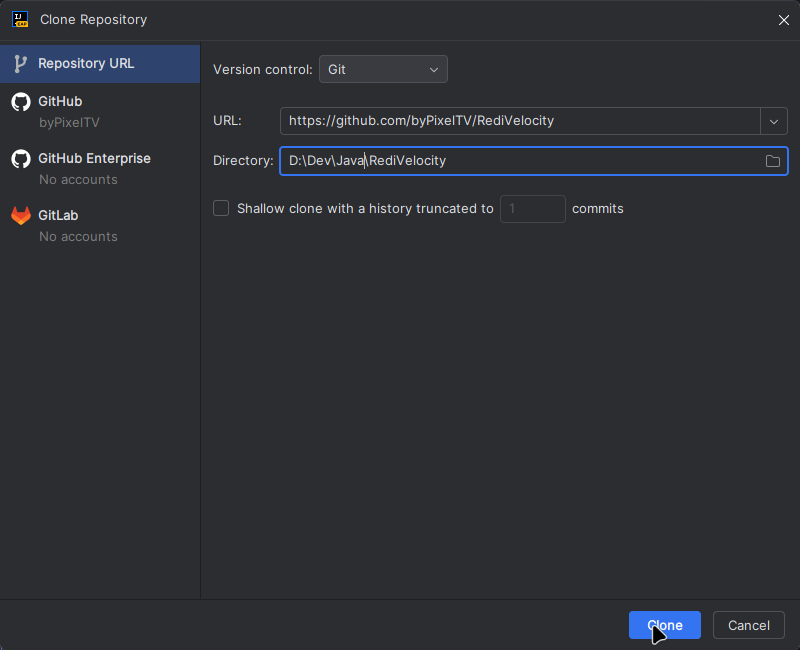
Set Up Your Development Environment: We strongly suggest using IntelliJ IDEA as your IDE for developing RediVelocity. From here, you just have to click on the Clone Repository button at the top when you open IntelliJ IDEA.
Now it should open a dialog prompting you to select a directory to clone the repository into and to specify the GitHub repository URL or choose the Repo from the ones you've created, if you are logged in with your GitHub account.
Identify an Issue: Look for open issues in the GitHub repository that you would like to work on. You can also propose new features or improvements.
Create a New Branch: Before making any changes, create a new branch for your work. This will keep your changes organized and separate from the main codebase.
Make Your Changes: Implement your changes in the new branch. Be sure to follow the project's coding standards and best practices.
Test Your Changes: Thoroughly test your changes to ensure they work as expected and do not introduce new bugs.
Submit a Pull Request: Once you are satisfied with your changes, submit a pull request to the main repository. Be sure to provide a clear description of your changes and any relevant context.
Engage with the Community: Participate in discussions and respond to feedback on your pull request. Collaboration is key to successful contributions.
By following these steps, you can effectively contribute to the RediVelocity project and help improve the platform for all users.
 bypixel.dev docs